NoSQLBooster introduces AI Helper, a new integrated component that enhances MongoDB development workflows. The AI Helper is fully built-in and requires no configuration from users - it works out of the box with no external API keys or setup required. This tool provides three main capabilities to improve database operations:
1. Natural Language Queries
With the power of generative AI, users can now describe their query requirements in natural language, and AI Helper automatically converts these descriptions into standard MongoDB query syntax.
For example, a user might enter:
Find movies directed by Christopher Nolan and released after 2005
And AI Helper generates the corresponding MongoDB query:
use mflix;
db.movies.find({
    director: "Christopher Nolan",
    year: { $gt: 2005 }
})
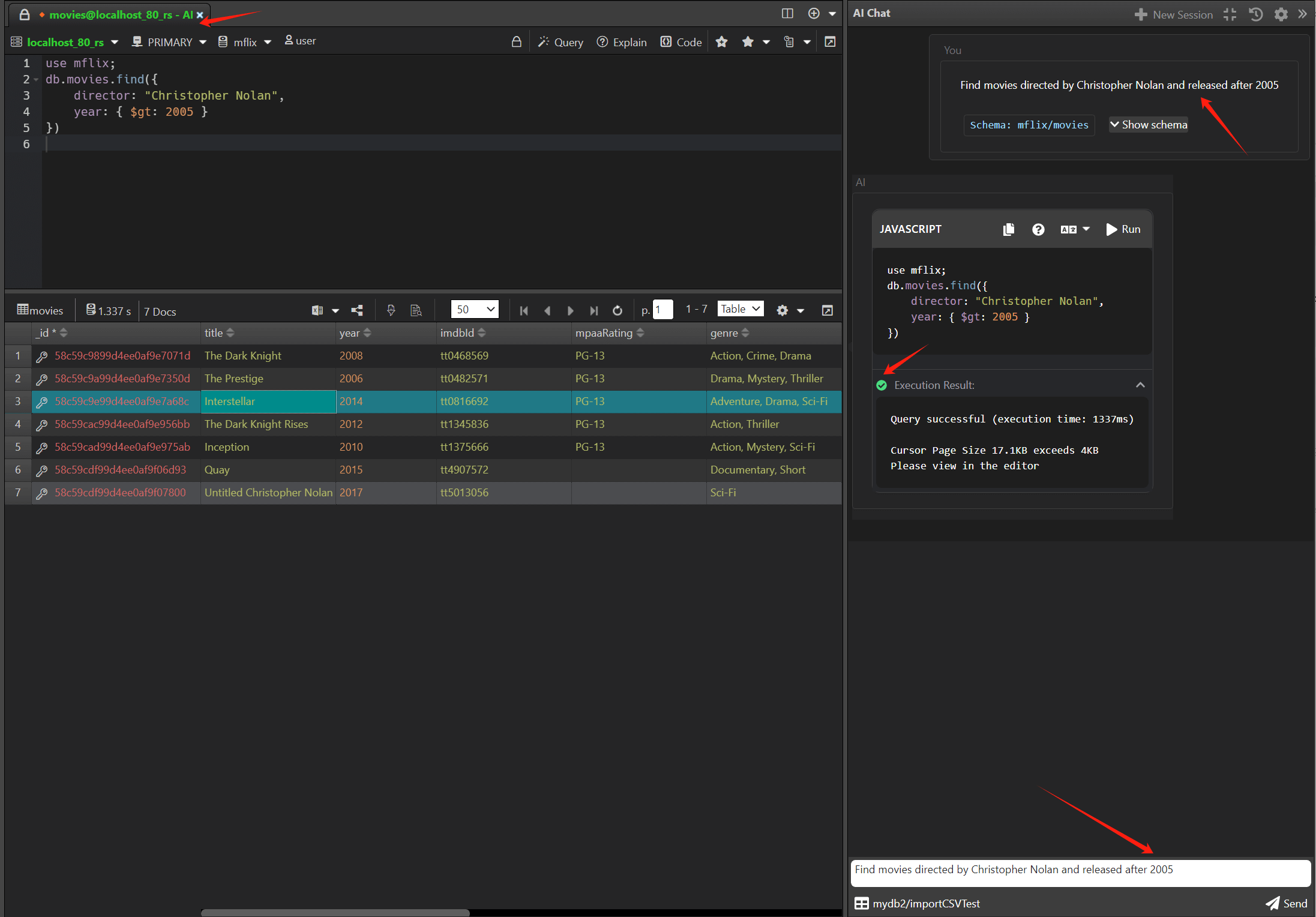
This feature dramatically reduces the learning curve for MongoDB query syntax, making database operations accessible to developers of all skill levels. The generated find queries can be further refined using NoSQLBooster's existing Visual Query Builder.
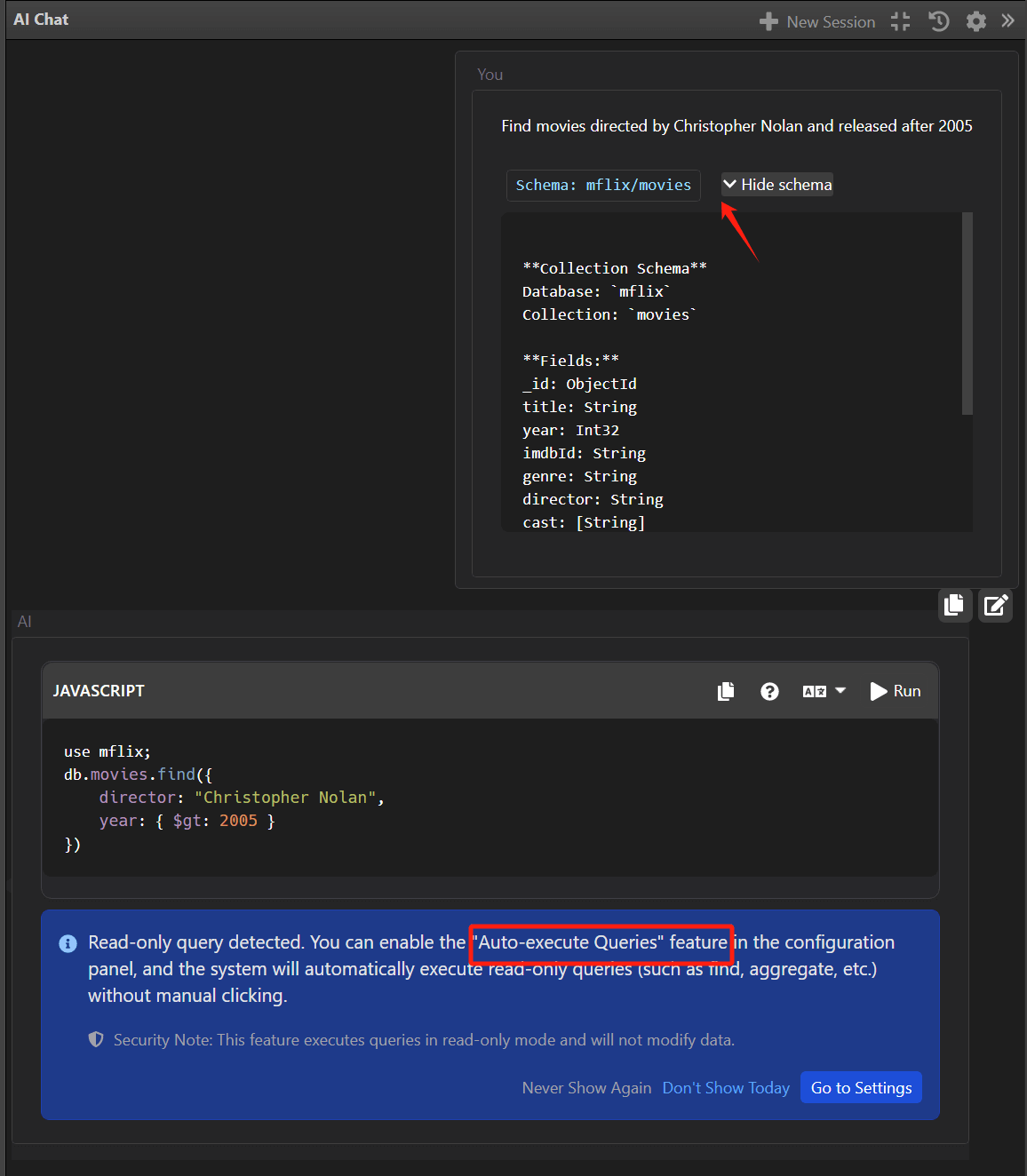
Schema-Aware AI Queries
A standout capability of NoSQLBooster's AI Helper is its ability to selectively send database schema information to the AI model, significantly enhancing query generation quality. Users can configure exactly what schema information to include:
- Database names
- Collection names
- Field names and data types
- Index information
By providing this contextual information to the AI, NoSQLBooster generates more accurate, efficient, and schema-compliant queries. This is especially valuable for complex databases where understanding field types and indexes is crucial for performance.
Auto-run query statements
When enabled, read-only mongosh queries will be automatically executed and the results will be displayed in the result window.
2. Cross-Language Code Translation
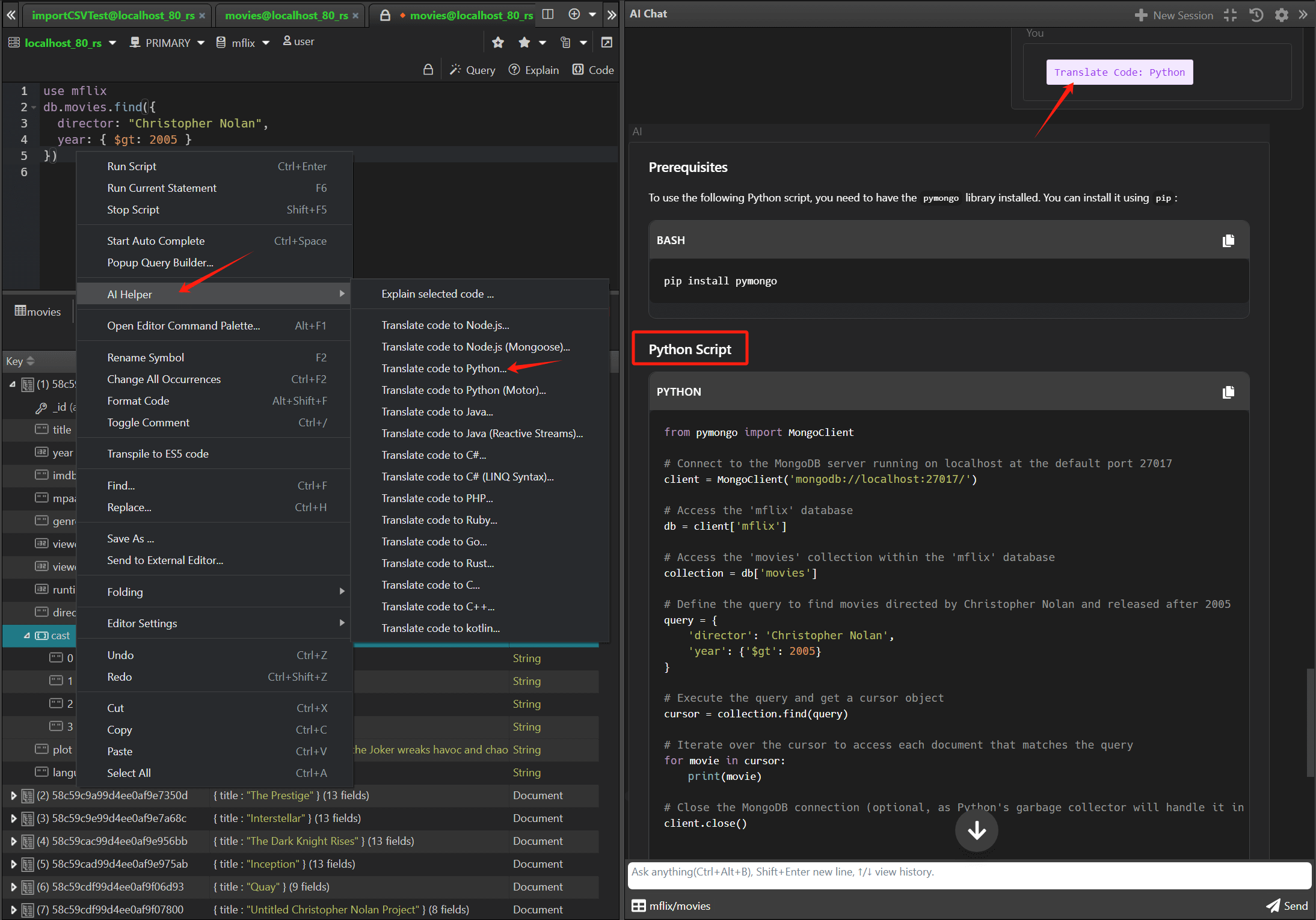
AI Helper can translate MongoDB Shell scripts (mongosh) into equivalent code for multiple programming languages, including:
- Node.js
- Node.js (Mongoose)
- Python
- Python (Motor)
- Java
- Java (Reactive Streams)
- C# / .NET
- C# (LINQ Syntax)
- Kotlin
- PHP
- Ruby
- C
- C++
- Golang
- Rust
This feature is particularly valuable for full-stack development teams working with different technologies. For example, a complex aggregation pipeline written in the MongoDB shell can be instantly translated to Python:
Original MongoDB Shell:
use mflix
db.movies.find({
  director: "Christopher Nolan",
  year: { $gt: 2005 }
})
AI-generated Python equivalent:
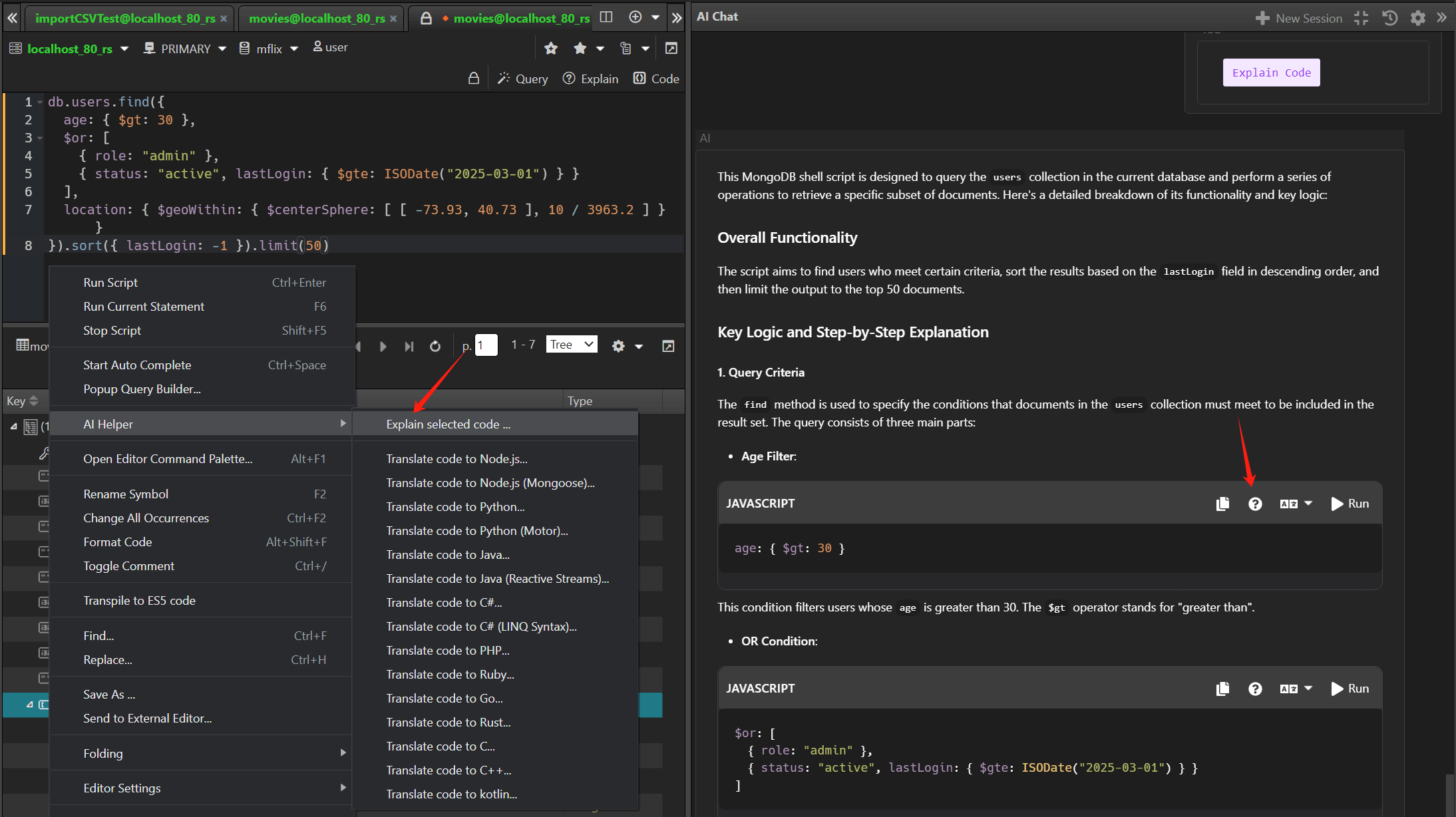
3. Step-by-Step Script Explanation
For complex MongoDB scripts, AI Helper can generate detailed step-by-step explanations that help developers understand query logic and improve performance.
For example, given a complex query:
db.users.find({
  age: { $gt: 30 },
  $or: [
    { role: "admin" },
    { status: "active", lastLogin: { $gte: ISODate("2025-03-01") } }
  ],
  location: { $geoWithin: { $centerSphere: [ [ -73.93, 40.73 ], 10 / 3963.2 ] } }
}).sort({ lastLogin: -1 }).limit(50)
AI Helper provides a clear explanation:
This query performs the following operations:

1. Searches the "users" collection for documents where:
   - The "age" field is greater than 30
   - AND one of the following conditions is true:
     a. The "role" field equals "admin"
     b. The "status" field equals "active" AND the "lastLogin" field is greater than or equal to March 1, 2025

2. Additionally, the document's "location" field must be within 10 miles of the geographic coordinates [-73.93, 40.73] (near New York City)

3. Results are sorted by "lastLogin" field in descending order (most recent first)

4. Only the first 50 matching documents are returned

PERFORMANCE CONSIDERATIONS:
- For optimal performance, ensure you have indexes on "age", "role", "status", "lastLogin", and a geospatial index on "location"
- The $or operator may prevent the use of some indexes; consider monitoring query performance
This feature is especially valuable for:
- Onboarding new team members
- Reviewing and understanding legacy code
- Optimizing queries for better performance
- Documenting complex database operations