The following is a partial list of NoSQLBooster unique features that NoSQLBooster has but has not yet found in any other main MongoDB GUI competitors. As it is impossible for us to have an in-depth understanding of all MongoDB GUIs, if there is anything wrong, please give us your feedback.
MongoDB Script Debugger
Still debugging your MongoDB script with print statements? Now, you can use NoSQLBooster's built-in debugging capabilities to set breakpoints and step through code.
To start debugging, click the editor's text margin to set a breakpoint F9, and run with debugger F5. When your breakpoint is hit, you can explore the call stack, watch and edit variables, and interact directly with the debugger.
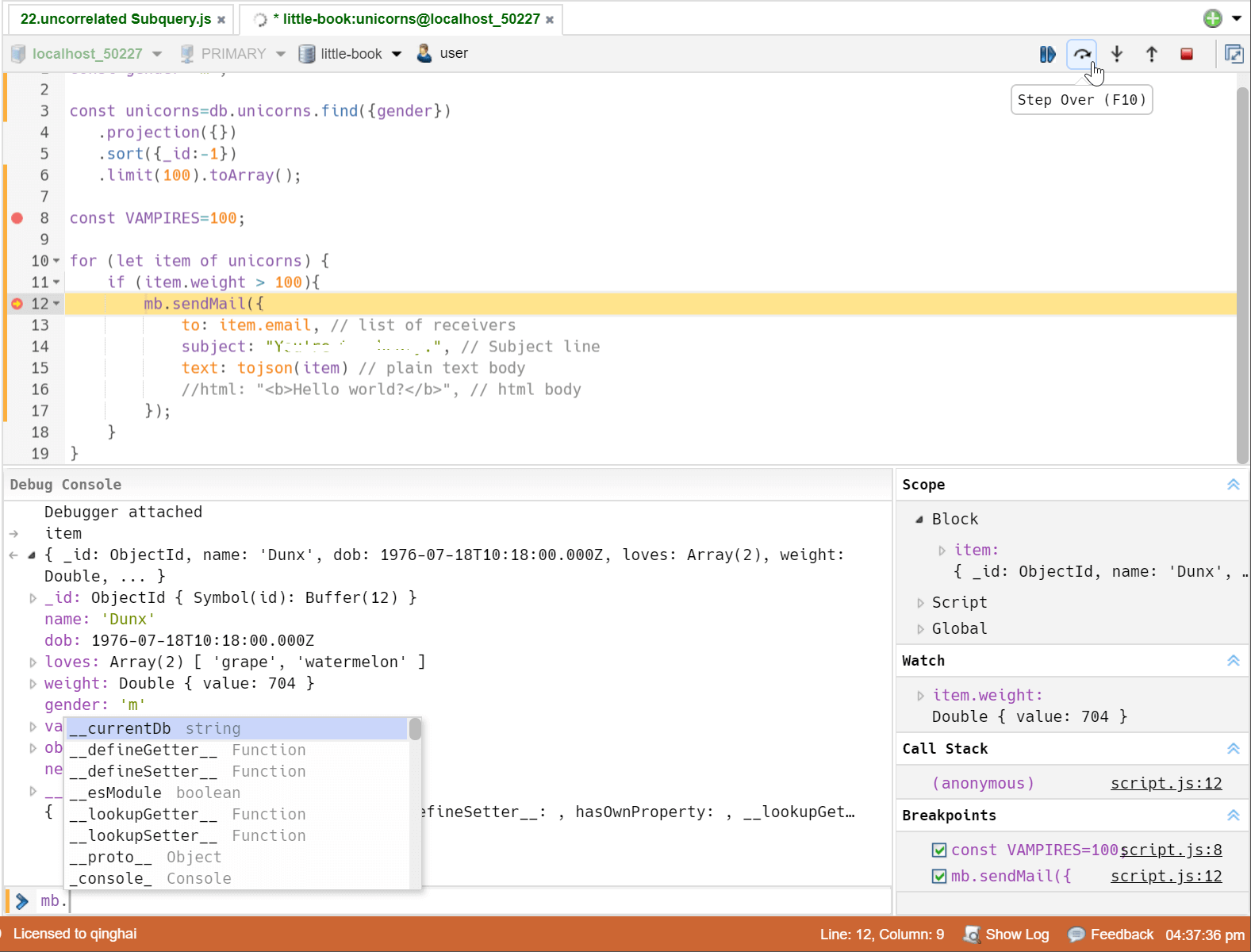
Due to the introduction of the debugger, some keyboard shortcuts have been adjusted, and you can view the bound shortcuts through the button's tooltip.
- Press F5 to start debugging, CTRL+↵|CTRL+F5 to run without debugging.
- Press F6 to run the current statement.
Chaining Fluent Query Interface
NoSQLBooster for MongoDB supports mongoose-like fluent query builder API, which enables you to build up a query using chaining syntax, rather than specifying a JSON object. The aggregation framework is now fluent as well. You can use it as currently documented or via the chainable methods.
// instead of writing:
db.user.find({age:{$gte:18,$lte:65}},{name:1,age:1,_id:0}).sort({age:-1, name:1});

// we can write:
db.user.where('age').gte(18).lte(65).select('name age -_id').sort("-age name");

// passing query conditions is permitted too
db.collection.find().where({ name: 'nosqlbooster' })

// chaining
db.collection
    .where('age').gte(18).lte(65)
    .where({ 'name': /^nosqlbooster/i })
    .where('friends').slice(10)

// aggregation
db.companies.aggregate($.where('founded_year').gte(2000).lte(2010)) //$:operator helper
  .group({_id:"$category_code",count:{$sum:1}})
  .sort('-count')
  .limit(100)
Learn MongoDB with Free Interactive Samples
The "My Queries" tab is used to open user-saved query scripts quickly. By default, the user-saved query script is saved as a "connection -> database -> query name" directory structure. Double-click to open a saved query script will automatically connect to the appropriate database server and switch to the proper database.
The "Samples" tab includes several NoSQLBooster-Enabled tutorials. All samples are executable in NoSQLBooster already, with detailed descriptions. You can try these queries and change them to learn better.

One-click Grouping/Filtering
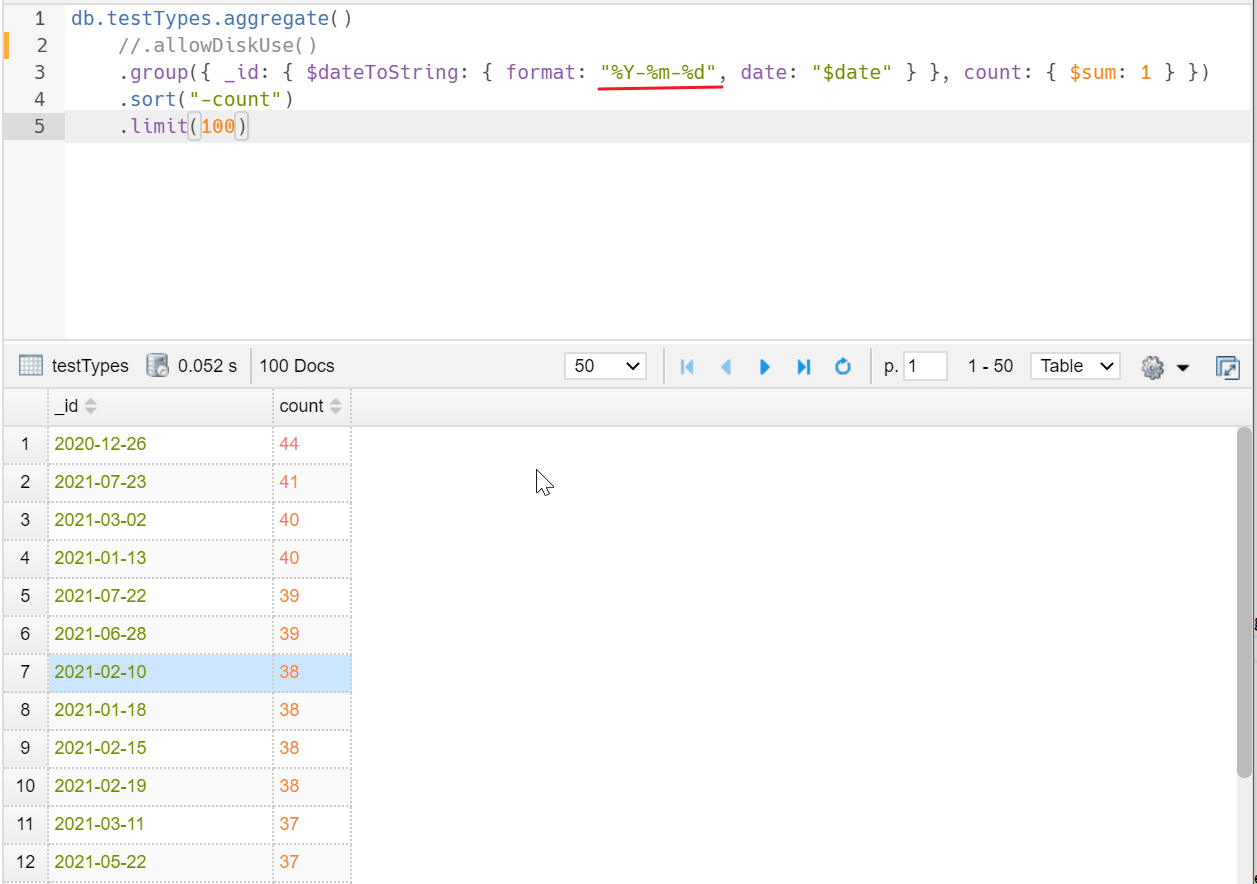
This handy One-Click grouping feature allows grouping of the selected field in query results to calculate counts, totals, minimums, maximums, and averages with a single click. One-click filtering enables the filtering of the selected field-value pairs in query results.

For date fields, grouping by a certain point in time is not practical. We have enhanced grouping of date and time fields. The one-click grouping function will be grouped by day (formatted by $dateToString operator), and users also modify the generated code to support more date ranges.
The $dateToString operator converts a date object to a string according to a user-specified format. The date must be a valid expression that resolves to a Date, a Timestamp, or an ObjectID. Please refer to this page for format descriptors.
MongoDB Log Parser
This feature includes two MongoDB log viewers, one for parsing and displaying the most recent 1024 logged MongoD events, and the other for parsing and displaying external MongoDB log files. This tool will parse the log quickly and output general information about its contents, including timestamp, severity, component, context, and command-specific messages. It also allows you to save parsed log entries to MongoDB's collection so that you can further analyze and query the logs using MongoDB's find method.

ES2022+ Syntax Support
JavaScript ES2022+ has arrived. It lets us write dramatically more concise and readable MongoDB shell script, thanks to built-in support for block variable scoping, arrow functions, template strings, top-level await, optional chaining, nullish coalescing and numerous other improvements to the language.

Visualizing GeoJSON Objects
NoSQLBooster allows users to visualize the MongoDB GeoJSON Objects quickly. The GeoJSON is a format for encoding geographical data structures, using the JavaScript Object Notation (JSON).

Switch RS Member/Database Within the Editor
In many panels, we have added a replica set members selector that allows you to switch between the members of the replica set in the interface. This is especially convenient for monitoring tools, and many times you want to drill down to a rs member to see the details.
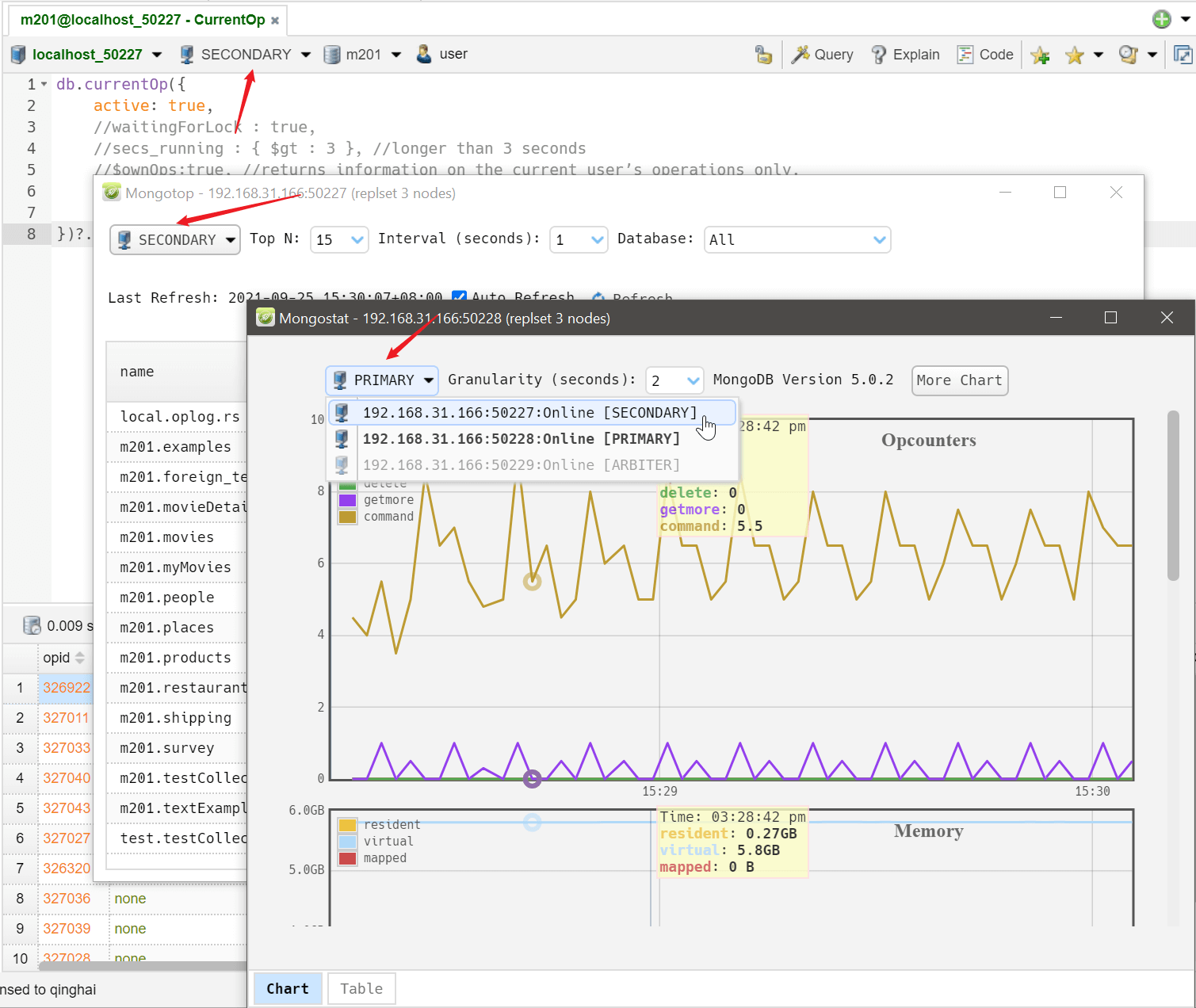
You can directly connect and switch members of the replica set within the script editor. 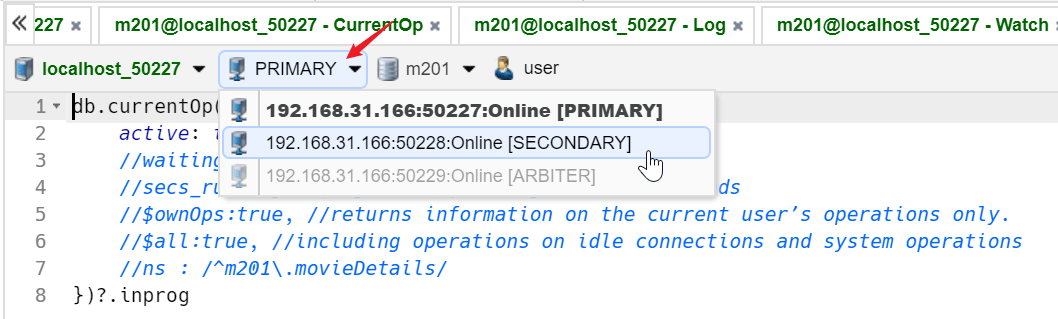
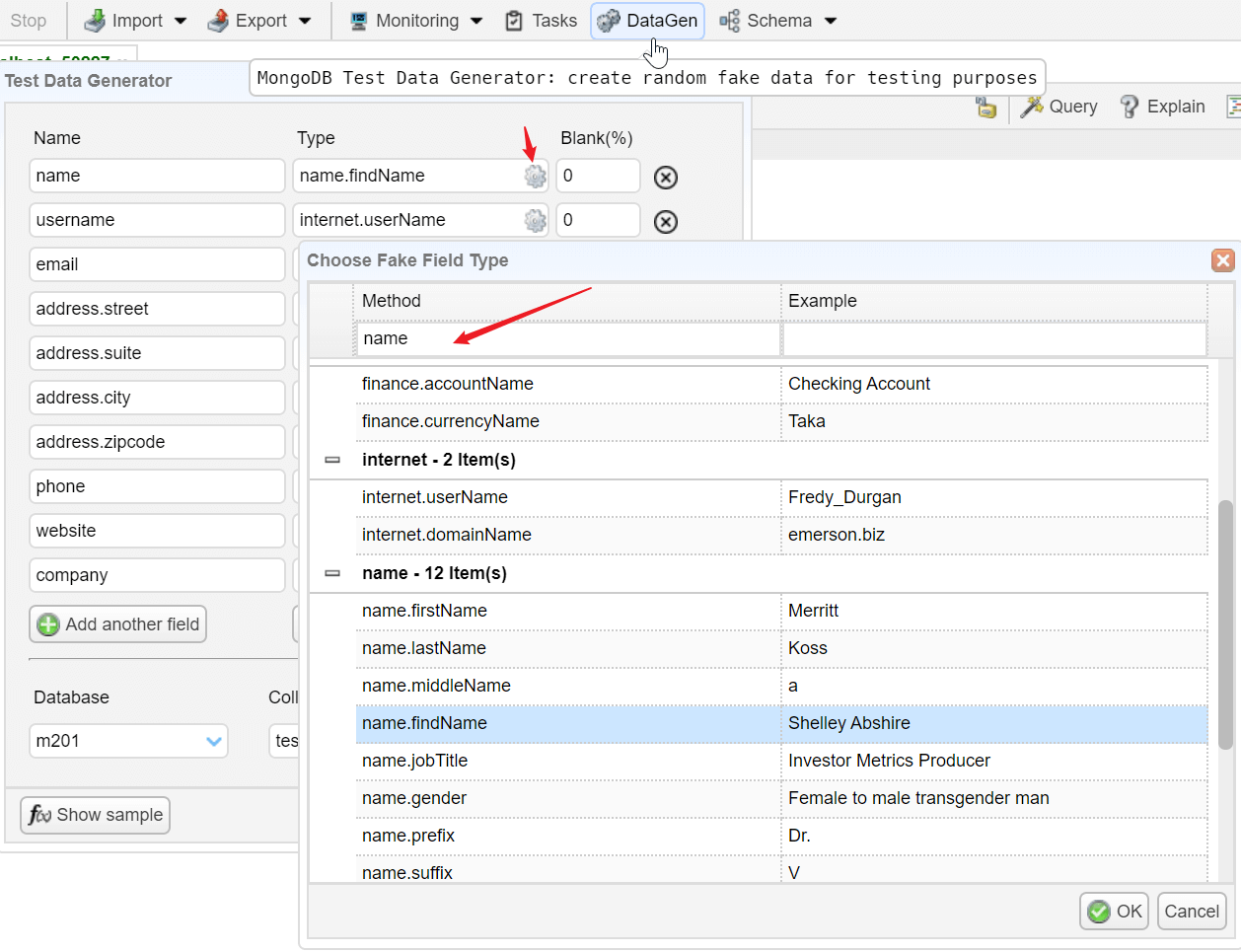
Test Data Generator (Mock Data)
Navicat for MongoDB now has this feature, and it is no longer so unique.
Create a large collection with random, but "real data" is available in NoSQLBooster for MongoDB. We now provide more than 100 templates to create random faked "real" data, and you can use this tool to generate mock data with incredible large size. You could also define how much data is blank too, and how many docs to create. All settings will create a script in the shell, and you could customize it with more complex business logic. We also added several code templates that start with generateTestData to make it easier to generate fake data.